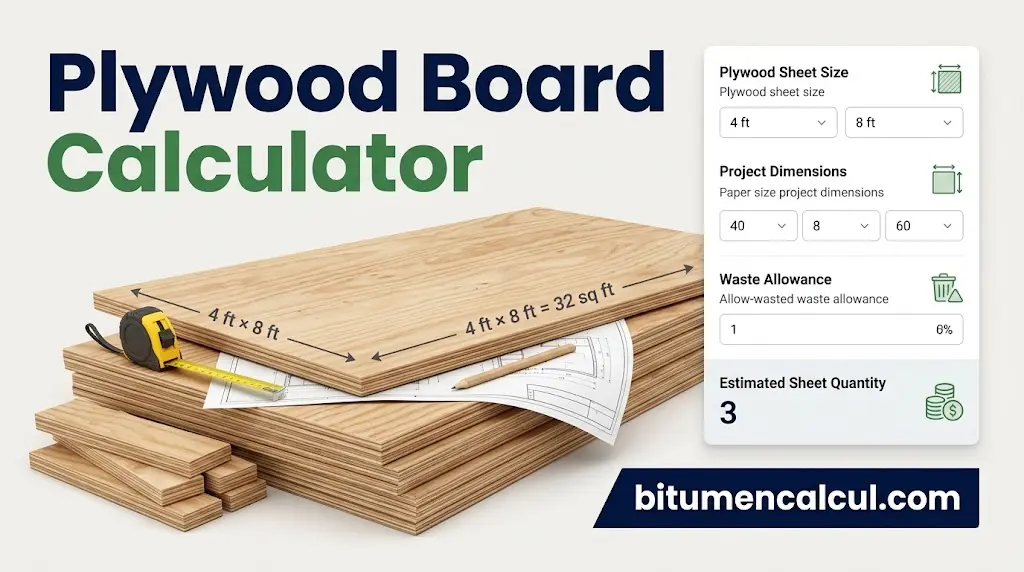
Plywood Board Calculator
Ply Board Calculator
Find out how many plywood sheets you need, including waste and cost.
Plywood sheets to buy
0
Have you ever started a flooring or wall panelling project and wondered how many plywood sheets you actually need? Ordering too few can delay the work, while buying too many increases material costs and leaves you with unwanted offcuts. A ply board calculator helps you estimate the quantity before purchasing materials.

Whether you are renovating a room, installing a wooden subfloor, covering a ceiling or preparing wall sheathing, this tool turns basic measurements into a practical material estimate. You can calculate the surface area, select a plywood sheet size, include a cutting allowance and estimate the total purchase cost.
The result is a useful starting point for planning your project. However, the final sheet layout, structural requirements and actual cutting pattern still matter.
What Is a Ply Board Calculator?
A ply board calculator is an online estimation tool that determines how many plywood sheets are needed to cover a measured surface. It compares the area of your project with the coverage provided by each sheet, then rounds the calculated quantity up to a whole number.
Most calculators require three main inputs:
- Project dimensions: The length and width of the floor, wall or ceiling.
- Plywood sheet dimensions: The length and width of each board.
- Waste allowance: An additional percentage to account for cutting and fitting.
Some tools also include a price field, making it possible to estimate the cost of the plywood before visiting a supplier.
For example, a room measuring 15 feet by 20 feet has a surface area of 300 square feet. If you use standard 4 ft × 8 ft plywood sheets, each sheet covers 32 square feet. A calculator can use these figures to estimate the required quantity and add a waste allowance.
Common Plywood Sheet Sizes and Thicknesses

Before using a ply board calculator, confirm the dimensions of the material you intend to buy. A common US plywood panel measures 4 ft × 8 ft, providing a nominal coverage area of 32 square feet. This size is available in different grades and thicknesses, depending on the intended application. Home Depot’s product specifications provide an example of a 4 ft × 8 ft construction-grade plywood sheet.
The Home Depot
| Sheet dimensions | Coverage per sheet | Typical calculation |
|---|---|---|
| 4 ft × 8 ft | 32 sq ft | Standard panel |
| 4 ft × 9 ft | 36 sq ft | Larger coverage panel |
| 4 ft × 10 ft | 40 sq ft | Taller or specialised applications |
These are the nominal sizes used in the calculation. Availability varies by supplier and product, so verify the dimensions before ordering.
Common plywood thicknesses include 1/4 inch, 3/8 inch, 1/2 inch, 5/8 inch and 3/4 inch. Thickness affects the suitability and performance of the board, not the number of square feet it covers. For structural applications, choose a panel that meets the project’s load, support-spacing and installation requirements rather than selecting thickness by appearance alone.
How to Use a Ply Board Calculator
Using a ply board calculator is straightforward once you have accurate measurements. Follow these steps to estimate the materials for your project.
Step 1: Choose the Correct Plywood Sheet Dimensions
Select the sheet size available from your supplier. For a standard 4 ft × 8 ft panel, multiply the length by the width:
\[ 4 \times 8 = 32\text{ sq ft} \]
If your supplier sells a different size, enter its actual nominal length and width into the calculator. Keep all measurements in the same unit to avoid incorrect results.
Step 2: Measure the Area You Want to Cover
Measure the length and width of your floor, wall or ceiling. Multiply these dimensions to obtain the surface area.
\[ \text{Project Area}=\text{Length}\times\text{Width} \]
For irregular rooms or walls with several sections, calculate each rectangular section separately and add the results together. For walls, measure each wall independently and account for openings where appropriate. Do not assume every opening automatically reduces the number of sheets needed, as cutting layouts can affect how much material is saved.
Step 3: Add a Suitable Waste Allowance
Plywood sheets often need to be cut around corners, edges, openings and obstructions. A waste allowance provides extra coverage for these offcuts.
| Project layout | Suggested starting allowance |
|---|---|
| Straightforward rectangular surface | 5–10% |
| Several openings or obstacles | 10–15% |
| Complex shapes and angled cuts | 15–20% |
These percentages are planning estimates, not fixed industry rules. The actual requirement depends on the cutting pattern, panel orientation and whether offcuts can be reused.
The formula is:
\[ \text{Adjusted Area}=\text{Project Area}\times\left(1+\frac{\text{Waste \%}}{100}\right) \]
With a 10% allowance, multiply the measured area by 1.10.
Step 4: Calculate the Number of Sheets
Divide the adjusted area by the area of one sheet, then round the result upwards:
\[ \text{Sheets Required}= \left\lceil \frac{\text{Adjusted Area}}{\text{Area per Sheet}} \right\rceil \]
The ceiling symbol means rounding up to the next whole number. You cannot normally purchase a fraction of a full sheet, so a result of 10.31 means you should budget for 11 sheets.
Step 5: Estimate the Material Cost
Enter the price per sheet into the ply board calculator, if this option is available.
\[ \text{Estimated Cost}=\text{Sheets Required}\times\text{Price per Sheet} \]
For example, 11 sheets at $30 each would cost $330 before taxes, delivery charges, fasteners or other materials. Use the current price from your local supplier rather than treating an online listing as a guaranteed quotation.
Installation reference: For structural flooring, consult the APA Engineered Wood Construction Guide: Floor Construction. For wall sheathing, review the APA Wall Construction Guide. These resources help distinguish material quantity estimates from the separate requirements for choosing suitable structural panels.
Worked Example: Plywood for a 15 ft × 20 ft Room
Suppose you want to cover a rectangular room using 4 ft × 8 ft plywood sheets and a 10% waste allowance.
- Calculate the floor area: \(15\times20=300\text{ sq ft}\).
- Add 10% waste: \(300\times1.10=330\text{ sq ft}\).
- Find the coverage per sheet: \(4\times8=32\text{ sq ft}\).
- Divide the adjusted area: \(330\div32=10.3125\).
- Round up: You need 11 plywood sheets based on this area estimate.
This is a sensible initial purchasing estimate, but it does not guarantee that every cut can be arranged efficiently. A cutting plan may reveal additional requirements, especially for complicated layouts or projects where the grain direction and panel orientation matter.
Get More Accurate Results from Your Ply Board Calculator
A useful estimate starts with careful planning. Before ordering materials, check the following points to reduce waste and avoid unnecessary expense.
Measure each section separately. If a room has alcoves, recesses or multiple wall sections, calculate each area and combine the totals. Double-check measurements before entering them into the calculator.
Plan your sheet layout before cutting. Two projects with the same surface area may require different quantities of plywood because their dimensions and cutting patterns differ. Reusing suitable offcuts can reduce waste, although small scraps may not be useful for every section.
Choose panels for their intended use. Flooring, wall sheathing and ceiling applications can have different structural requirements. Check the panel’s grade, thickness, span rating and manufacturer instructions before purchasing.
Allow for correct installation. The APA recommends leaving approximately 1/8-inch space between plywood sheathing panel edges and ends unless the product manufacturer specifies otherwise. This helps accommodate moisture-related expansion. Follow the relevant installation instructions for your particular panels. Read the APA’s guidance on preventing floor panel buckling.
Common Mistakes to Avoid
A ply board calculator can give an incorrect estimate when measurements or assumptions are wrong. Watch out for these frequent problems:
- Mixing measurement units: Do not enter metres in a field expecting feet without converting them first.
- Forgetting wastage: A calculation based only on the surface area can leave you short of material.
- Rounding down: Always round the calculated sheet quantity upwards.
- Ignoring sheet availability: Confirm the exact panel dimensions and thickness offered by your supplier.
- Choosing the cheapest panel without checking suitability: Price matters, but the correct grade and structural performance matter too.
FAQs
Final Recommendation
A ply board calculator is a practical way to estimate plywood quantities, account for cutting waste and prepare a more reliable project budget. The key is to measure accurately, select the correct sheet dimensions and round the result up rather than down.
For a basic rectangular room, the area method provides a useful starting point. For complicated layouts or structural work, combine the estimate with a cutting plan and the manufacturer’s installation guidance before placing your order.
Read More: