Free Overworld To Nether Calculator (2026)
Overworld to Nether Coordinates Calculator
Convert Minecraft coordinates between the Overworld and the Nether.
Nether coordinates
Use this Nether portal calculator to convert coordinates between the Overworld and the Nether so you can properly link portals on BadWolfMC. Whether you need a Nether coordinate calculator bedrock or Nether coordinate calculator Java, check both sides before building.
Because Nether portals can connect across large distances, always check both locations before building. A portal linked to your Overworld claim does not automatically mean the matching Nether-side location is yours to use. Respect claims, builds, paths, farms, and space rules in both dimensions.

Portal reminder: Do your due diligence before lighting a portal. If the matching location is already claimed, built, or clearly in use, choose another location or ask before building. Nether portal conflicts can still fall under griefing or claim/space rule issues.
How to use the Overworld To Nether Calculator

If you just need to use the Minecraft Nether portal calculator without sweating the details, here’s how. The Minecraft Nether portal calculator has two modes: coordinate mode and block mode.
Coordinate mode shows you the coordinates of a location in the Overworld in the Nether, and vice versa.
- Enter the coordinates of the portal in the Overworld or the Nether.
- The Nether portal calculator finds the coordinates of the corresponding portal in the other dimension.
- The Nether portal calculator is bidirectional, so you can change either set of coordinates and get valid results on the other side.
How Overworld and Nether coordinates work
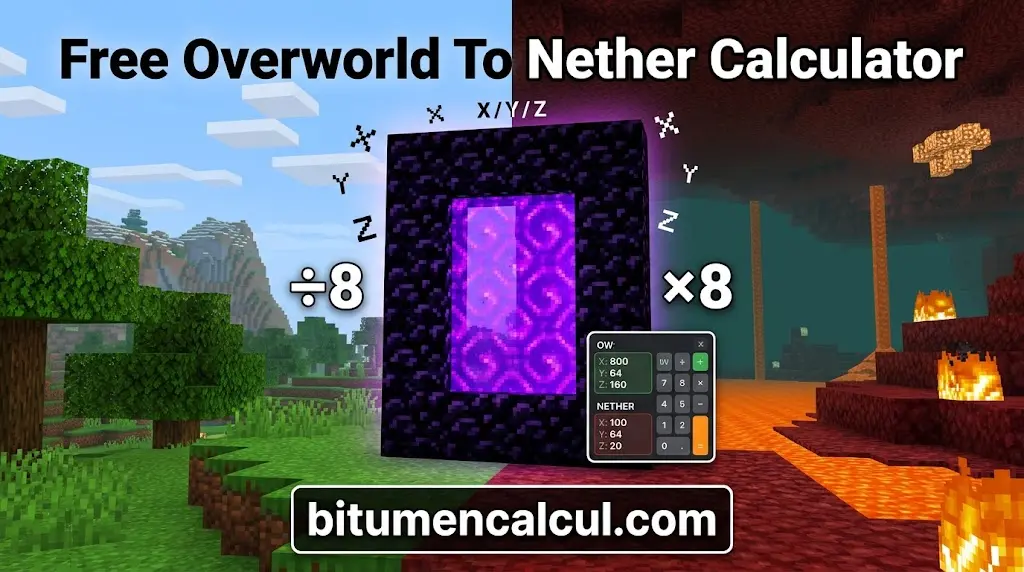
Travelling one block in the Nether moves you eight blocks in the Overworld, creating a Nether to Overworld ratio of 1:8. In other words, 1 block in overworld to nether follows the reverse conversion when travelling from the Overworld to the Nether. To find where an Overworld location lands in the Nether, divide its X and Z by 8 and round down (Java floors toward negative infinity, so -1 becomes -1). The Y coordinate is identical in both dimensions and is never divided. To go the other way, multiply the Nether X and Z by 8. Results are clamped to the world border, which only matters beyond X or Z ±3,749,998 in the Nether. A Nether Coords to Overworld mod can also help with coordinate conversion.
Worked example 1: a clean two-way pair
Your base is at Overworld X 1480, Y 64, Z -520. Divide X and Z by 8: 1480 / 8 = 185 and -520 / 8 = -65, so the Nether target is 185, 64, -65. Travel there in the Nether, build a 4×5 frame (10 obsidian without corners) and light it. Each portal now sits exactly on the other one’s scaled target, at distance 0, so both trips pick the right portal no matter what else is nearby, unless another portal sits on the very same spot.
Worked example 2: a portal that links to the wrong place
You have a spawn hub pair: Overworld 0, 64, 0 and Nether 0, 64, 0. You build a new Overworld portal at 100, 64, 0. Its target is 12, 64, 0, and on Java the Nether search covers 16 blocks each way, so the hub’s Nether portal 12 blocks away is inside it: your new portal links to the hub. The way back is worse: from the hub’s Nether portal the game targets Overworld 0, 64, 0, where the hub portal sits at distance 0 and yours is 100 blocks away, so you come out at spawn. A one-way trip.
The fix is to build a Nether portal yourself at 12, 64, 0. It is at distance 0 from your new portal’s target, so it always wins, and its own return target 96, 64, 0 is 4 blocks from your portal but 96 from the hub, so it comes back to you. The hub keeps its own links. On Bedrock the same portal built at X 400 (target 50) would still link to the hub, because the Nether search reaches 128 blocks; only a portal beyond X 1032 (target 129) gets its own pair automatically. This layout is loaded in the checker above; switch the edition to compare.
How portal linking works (the search area)
When you step through a portal, the game scales your coordinates (÷8 or ×8) and searches for existing portals in a square area around the target location, across the full world height. It then selects the closest one by straight-line distance, including Y. On Java 1.16.2+, the search area extends 16 blocks in each direction when arriving in the Nether (a 33×33 column) and 128 blocks in each direction when arriving in the Overworld (257×257), matching the 1:8 coordinate scale.
On Bedrock, the search area extends 128 blocks in each direction in both dimensions. This means a Nether-side search covers the equivalent of 2048 Overworld blocks, which explains why Bedrock portals can link to existing portals much more often. If no portal is found, the game generates a 4×5 portal within 16 blocks of the target.
| Rule | Java 1.16.2+ | Bedrock |
|---|---|---|
| Coordinate ratio | 1 Nether block = 8 Overworld blocks, Y unchanged | Same |
| Search area arriving in the Nether | 16 blocks each way (33×33 columns) | 128 blocks each way (257×257 columns) |
| Search area arriving in the Overworld | 128 blocks each way (257×257 columns) | 128 blocks each way (257×257 columns) |
| Overworld spacing for separate auto-generated portals | At least 264 blocks | At least 2056 blocks |
| Nether spacing for separate auto-generated portals | At least 33 blocks | At least 33 blocks |
| Frame sizes | 4×5 to 23×23, corners optional | Same |
| Who can create a new portal | Almost any entity except withers and the ender dragon | Players only |
| Forced portal platform | 2×3 obsidian | 2×3 obsidian plus netherrack on each side |
Rules from the Minecraft Wiki pages Nether Portal and Tutorial: Nether portals.
How to build a linked Nether portal pair
1. Note the first portal’s coordinates. Stand inside the lit portal and read X, Y and Z: press F3 on Java, or enable Show Coordinates in the world settings on Bedrock.
2. Scale the coordinates. Divide X and Z by 8 and round down for the Nether side, or multiply by 8 for the Overworld side. Keep Y the same. The converter above handles this calculation.
3. Check the link. Enter your existing portals and planned position in the linking checker. If the portal would link to another location, move it or plan to build both sides manually.
4. Gather the obsidian. You need 10 blocks for a 4×5 frame without corners or 14 with corners, plus flint and steel. Use the obsidian calculator for larger frames.
5. Travel to the scaled coordinates. In the other dimension, dig or bridge to the exact X and Z coordinates while staying at the same Y. A portal placed exactly on the target has a distance of 0, so it takes priority over portals farther away.
6. Build and light the frame. Place the obsidian frame at the target location and light it with flint and steel.
7. Test both directions. Walk through each portal and confirm that you arrive at the other one. If the link fails, check for a closer portal using the linking checker.
Placing the partner portal yourself, rather than letting the game generate one, is the most reliable way to create a clean two-way link. The game can generate a portal up to 16 blocks away and at any height, allowing other portals to interfere with the connection.
Making of the nether portal calculator
I’m Rijk de Wet, holder of a Master’s in Data Science and Industrial Engineering. My achievements reflect my dedication, scholarly excellence, and analytical innovation. Beyond my academic and professional pursuits, my enthusiasm for board games demonstrates my appreciation for strategy, critical thinking, and shared experiences. I bring together technical expertise, innovative research, and a collaborative spirit in my work.
Building nether portals requires resources, and collecting the obsidian needed to make them takes time. I thought a calculator could help players plan to build the portals and reduce resource waste. Our Minecraft portal calculator also helps gaming content creators prepare tutorials that support efficient gameplay and provide accurate information for the wider Minecraft community, including players using Nether coordinate Bedrock.
We ensure our tools are based on authentic information and proper research. After an expert creates the calculator, another expert in the field thoroughly reviews it. Then, a native language speaker proofreads the content to refine it further. Only then is the tool released for our users. To learn more about our commitment to quality.
FAQs
Conclusion
The Nether portal calculator makes Minecraft travel easier by converting coordinates accurately and helping you create reliable links between the Nether and Overworld. Remember to multiply or divide the X and Z coordinates by 8 while keeping the Y coordinate unchanged, and always check nearby portals before building to avoid unexpected connections. With the right planning, you can save travel time, reduce wasted resources, and protect existing builds and claims on BadWolfMC.
Read More: